Block Crash Lite2.0.4
Publisher Description
**ABOUT**
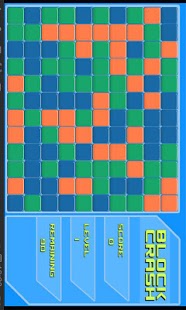
Block Crash is a puzzle game developed for android devices. Remove neighboring blocks of similar color to earn points. The more you remove at once the more points you get!
**CLASSIC**
The original game mode. Clear a certain number of bricks to reach the next level.
**TIMED**
You have 2 minutes to clear as many blocks as possible. Blocks respawn after you remove them so be quick! (PRO Only)
**TIPS**
A good starting strategy to earn you the most points possible is to start by crashing the color block that exists the least on the board and then by crashing the second least common block resulting in hopefully one big crash to reach the next level.
**FEATURES**
-3 difficulty modes
-Online Highscores
-Achievements
-HD Graphics (PRO only)
-More to Come!
**BUGS**
IF you experience text not appearing please send me a message. Its a known bug but i'm still looking for a fix for this issue. For now just restart the game and it should be fixed.
Block Crash is Scoreloop enabled. Use your account to post highscores, earn achievements and more!
Feedback is always appreciated!
About Block Crash Lite
The company that develops Block Crash Lite is Alex Polfliet. The latest version released by its developer is 2.0.4. This app was rated by 1 users of our site and has an average rating of 5.0.
To install Block Crash Lite on your Android device, just click the green Continue To App button above to start the installation process. The app is listed on our website since 2013-04-09 and was downloaded 10 times. We have already checked if the download link is safe, however for your own protection we recommend that you scan the downloaded app with your antivirus. Your antivirus may detect the Block Crash Lite as malware as malware if the download link to com.alexpolfliet.blockcrashlite is broken.
How to install Block Crash Lite on your Android device:
- Click on the Continue To App button on our website. This will redirect you to Google Play.
- Once the Block Crash Lite is shown in the Google Play listing of your Android device, you can start its download and installation. Tap on the Install button located below the search bar and to the right of the app icon.
- A pop-up window with the permissions required by Block Crash Lite will be shown. Click on Accept to continue the process.
- Block Crash Lite will be downloaded onto your device, displaying a progress. Once the download completes, the installation will start and you'll get a notification after the installation is finished.
Program Details
System requirements
Download information
Pricing
Version History
version 2.0.4
posted on 2013-04-09
V. 2.0.4 Preference Screen FC fix,V 2.0.3,-Fixed a bug where playing multiple classic games in a row could result in an incorrect Remaining count,V 2.0.2,-Bug fixes,V. 2.0.1,-Fixed a FC bug,V. 2.0.0,-Completely rewritten from the ground up!,-Less bugs,-Switched highscores provider from Open Feint to Scoreloop,-New in game menu,-HD Graphics (PRO only),-Many more options including game speed.,-Animated blocks
version 2.0.4
posted on 2013-04-09
Several fixes and updates
